
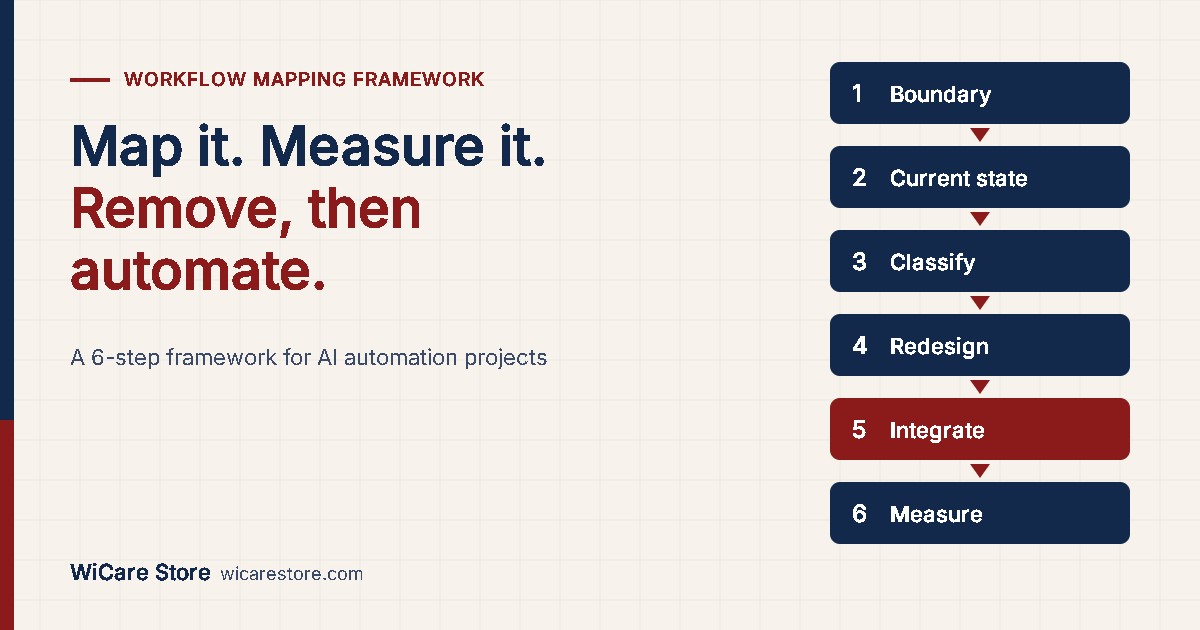
Most failed automation projects do not fail at the AI layer. They fail at the map. A team connects a model to a process nobody has documented, and the automation reproduces every existing delay at machine speed. This article gives a workflow mapping framework for enterprise AI automation: how to audit a manual process, measure where it leaks time, decide what to remove before you automate, and design the integration layer so it survives rate limits, dropped webhooks and partial failures.
The core problem: operational leakage
Operational leakage is work time and wait time a process consumes without producing value for the customer. It hides in three places:
- Wait states. A task sits in an inbox, queue or approval step. No one is working on it.
- Re-keying. The same data is typed into two or more systems by hand.
- Exception loops. A record fails a check, returns to a person, and re-enters the queue.
Leakage is measurable. The standard metric is process cycle efficiency (PCE):
PCE = value-adding time ÷ total lead time × 100
Example: an invoice approval takes 6 days end to end (8,640 minutes). The actual work on it adds up to 40 minutes. PCE = 40 ÷ 8,640 × 100 = 0.46%. The other 99.5% is waiting. Automating the 40 minutes of work saves almost nothing. Removing the waits saves days.

That is the first rule of the framework: measure lead time and touch time separately before choosing what to automate.
The workflow mapping framework: 6 steps
Step 1: Define the process boundary
Write one sentence: the trigger event and the end state. Example: “Starts when a supplier invoice arrives by email. Ends when payment is scheduled in the accounting system.”
A process without a boundary expands during mapping. Fix the start and end before the first interview.
Step 2: Map the current state at task level
Record every step as it runs today, not as the policy document says it runs. For each step capture six fields:
| Field | What to record | Example |
|---|---|---|
| Step | Verb plus object | “Check PO number against ERP” |
| Owner | Role, not person | Accounts payable clerk |
| System | Where the work happens | Email, ERP, spreadsheet |
| Touch time | Minutes of actual work | 4 min |
| Wait time | Minutes before next step starts | 1,440 min |
| Exception rate | % of items that fail this step | 12% |
Collect data from system timestamps where they exist. Interviews overstate speed. Timestamps do not.
Step 3: Classify every step
Assign each step one of four classes:
| Class | Definition | Action |
|---|---|---|
| Remove | Produces no value and no control | Delete before automating |
| Simplify | Necessary but over-engineered | Reduce fields, approvals or hand-offs |
| Rule-automate | Deterministic logic, structured input | Workflow engine or script, no AI |
| AI-assist | Unstructured input or judgment on text | Model with human review threshold |
Most mapped processes contain steps in all four classes. Teams that skip this step apply AI to rule-based work, which adds cost and non-determinism where a 10-line rule would do.
Step 4: Redesign the future state
Rebuild the process from the classified steps. Apply three constraints:
- One owner per decision. Shared approvals become sequential delays.
- Data entered once. Every re-keying step becomes a sync or an API call.
- Exceptions routed, not returned. A failed check goes to a named queue with a reason code, not back to the start.
Step 5: Design the integration layer
This is where most production automations break. The next section covers it in detail.
Step 6: Set metrics and a review cadence
Track four numbers per process, before and after:
| Metric | Formula | Target direction |
|---|---|---|
| Lead time | End timestamp minus start timestamp | Down |
| Touch time | Sum of human minutes per item | Down |
| Exception rate | Exceptions ÷ items processed | Down |
| Straight-through rate | Items with zero human touches ÷ items processed | Up |
Review monthly for the first quarter. Automations drift as upstream systems change field names, formats and limits.
Operational resource: AI Business Automation & Process Reengineering Mastery
A PDF framework covering the full sequence above: current-state mapping, the Bottleneck Discovery Framework, process redesign principles, AI automation architecture, agent governance and ROI measurement. 10 chapters, 40+ frameworks and matrices, executive action checklists. Format: PDF ebook. Price: $19.99.
Asynchronous integration architecture
Synchronous point-to-point integrations fail under load. System A calls system B and waits. If B is slow, A blocks. If B is down, the data is lost. Production automation needs an asynchronous design with five components.

1. Event intake with immediate acknowledgement
Receive the webhook, write the raw payload to a durable queue, return HTTP 200 within the sender’s timeout. Do the processing later.
Webhook senders enforce short timeouts and retry policies that differ by vendor. Some retry for days. Some retry a few times over hours. Some do not retry at all. A handler that processes inline and times out will receive duplicates from senders that retry and lose events from senders that do not.
2. Idempotent processing
Assume every event arrives more than once. Store a unique event ID on first receipt. On a repeat, skip it.
For outbound calls that create records (payments, orders, tickets), send an idempotency key where the API supports it. The receiving system then returns the original result instead of creating a duplicate.
3. Rate-limit-aware dispatch
Every SaaS API enforces a request limit. Exceeding it returns HTTP 429. The correct response:
- Read the
Retry-Afterheader when present and wait that long. - Otherwise use exponential backoff with jitter: wait 1s, 2s, 4s, 8s, plus a random 0–1,000 ms.
- Cap retries (for example, 6 attempts) and move the item to a dead-letter queue.
Size the dispatcher to the limit. Example: an API allows 100 requests per 10 seconds. A nightly sync of 50,000 records needs at least 5,000 seconds (83 minutes) at full rate. Schedule it accordingly, or batch records if the API offers a bulk endpoint.
4. Dead-letter queue and reconciliation
Items that exhaust retries go to a dead-letter queue with the error and payload. A person or a scheduled job reviews it daily.
Add a reconciliation job for every critical sync. Once a day, compare record counts and checksums between source and target. Webhooks get dropped. Reconciliation catches what they miss.
5. AI calls as a bounded step
Treat a model call like any other unreliable external dependency:
- Validate output against a schema. Reject and retry malformed output.
- Set a confidence threshold. Below it, route to a human queue.
- Log the input, output, model version and decision for every call.
- Set a per-item cost ceiling and a timeout.
The model never writes directly to a system of record. A deterministic step validates and commits its output.
Failure modes and controls
| Failure mode | Symptom | Control |
|---|---|---|
| Webhook dropout | Records missing in target system | Durable intake queue plus daily reconciliation |
| Duplicate events | Double invoices, double emails | Event ID store, idempotency keys |
| API rate limiting | HTTP 429 errors, partial syncs | Backoff with jitter, throughput sizing, batching |
| Schema drift | Null fields after a vendor update | Contract tests on payloads, alert on validation failures |
| Silent AI errors | Plausible but wrong extracted values | Schema validation, confidence threshold, sampled human audit |
| Orphaned exceptions | Items stuck with no owner | Named exception queues with reason codes and SLAs |
B2B process reengineering templates: where to start
Three processes give measurable results in most B2B operations within one quarter:
| Process | Typical leakage | First automation target |
|---|---|---|
| Invoice to payment | Approval waits, PO matching by hand | Data extraction plus rule-based 3-way match, human approval above a value threshold |
| Lead to opportunity | Manual CRM entry, slow routing | Form or email intake, enrichment, rule-based assignment |
| Client onboarding | Document chasing, repeated data entry | Single intake form, document checklist, automated status updates |
Map one. Measure it. Remove before you automate. Then build the integration layer for failure, not for the demo.
Operational resource: AI Business Automation & Process Reengineering Mastery
The complete method in one PDF: workflow mapping, process reengineering principles, automation architecture, function-by-function automation patterns for finance, HR, sales, customer service and operations, and a phased roadmap from pilot to scale. Free preview pages available before purchase. Format: PDF ebook. Price: $19.99.
Which process in your operation has the lowest cycle efficiency, and have you measured it, or only assumed it?


Leave a Reply