
A service company’s website has one job: load fast, prove capability, and capture an enquiry. Most fail the first test before the visitor reads a word. The cause is rarely the design. It is the stack: a CMS, a theme, a page builder and a dozen plugins, each adding scripts, styles and database queries to a site whose content changes a few times a year. This article is a technical checklist for replacing that stack with high-performance static HTML templates for B2B sites, with measurable targets for each item.
Where CMS code bloat comes from
A typical plugin-heavy CMS site accumulates weight in five layers:
| Layer | Source of bloat | Effect |
|---|---|---|
| Page builder | Nested wrapper elements, inline styles, global CSS for every widget | Large DOM, render-blocking CSS |
| Plugins | Each loads its own CSS and JS on every page, used or not | More requests, more main-thread work |
| Third-party scripts | Chat widgets, trackers, embedded maps, social feeds | Long tasks, layout shifts, privacy exposure |
| Database rendering | Pages built per request from queries | Slower server response without full caching |
| Maintenance surface | Core, theme and plugin updates | Security exposure if updates lapse |
None of this is required for a 10–20 page company site. A static site serves pre-built HTML files from a CDN. There is no database to query, no server-side code to patch, and no plugin to update.
Measure your current site before deciding. Run Google PageSpeed Insights on your homepage and one service page, on mobile. Record the numbers in the next section.
Performance targets
Google’s Core Web Vitals define the thresholds. A page passes when it meets the “good” threshold at the 75th percentile of real visits.
| Metric | Measures | Good | Poor |
|---|---|---|---|
| Largest Contentful Paint (LCP) | Load speed of main content | ≤ 2.5 s | > 4.0 s |
| Interaction to Next Paint (INP) | Responsiveness to input | ≤ 200 ms | > 500 ms |
| Cumulative Layout Shift (CLS) | Visual stability | ≤ 0.1 | > 0.25 |
Add two budgets of your own:
- Total CSS: under 50 KB compressed per page.
- Total JavaScript: under 50 KB compressed per page for a brochure site. Many service sites need almost none.
The static HTML architecture checklist
1. Asset structure
- ☐ One stylesheet, loaded in the
<head>. No per-component CSS files. - ☐ One script, loaded with
defer. No framework runtime for static content. - ☐ No external requests on first load except fonts you host yourself.
- ☐ Theme colors set as CSS custom properties in one place, so a rebrand is a five-line change.
2. Images
- ☐ Every
<img>has explicitwidthandheightattributes. This prevents layout shift. - ☐ Hero image loaded with
fetchpriority="high". Never lazy-load the LCP image. - ☐ All images below the fold use
loading="lazy". - ☐ WebP or AVIF with a JPEG fallback. Serve sizes with
srcset. - ☐ Target under 200 KB for the hero image at desktop width.
3. Fonts
- ☐ Self-host fonts. Limit to two families and four weights.
- ☐ Use
font-display: swap. - ☐ Preload only the one font file used above the fold.
4. Caching and delivery
- ☐ Serve from a CDN-backed static host (Netlify, Cloudflare Pages, GitHub Pages or standard cPanel hosting).
- ☐ Fingerprinted assets (
style.a1b2c3.css) cached withCache-Control: public, max-age=31536000, immutable. - ☐ HTML cached for a short period, or revalidated, so content updates appear immediately.
- ☐ Brotli or gzip compression enabled.
- ☐ HTTPS enforced with HTTP to HTTPS redirects.
5. Responsive layout
- ☐ Test at 320, 375, 768, 1024 and 1440 px widths.
- ☐ No horizontal scroll at any width.
- ☐ Tap targets at least 44 × 44 px on mobile.
- ☐ Navigation usable with keyboard only.

6. Search and local discovery
- ☐ Unique
<title>(under 60 characters) and meta description (under 155) on every page. - ☐ Open Graph tags for link previews.
- ☐ Structured data:
OrganizationorLocalBusiness,BreadcrumbList, andFAQPagewhere FAQs exist. - ☐ Name, address and phone identical across the site, Google Business Profile and directories.
- ☐
sitemap.xmlandrobots.txtat the root. - ☐ One service per page, each with its own URL. One generic “Services” page ranks for nothing specific.
7. Lead capture without a backend
Static sites have no server code to process forms. Use a form endpoint service (Formspree, Netlify Forms or similar).
- ☐ Client-side validation for required fields and email format.
- ☐ A dedicated thank-you page, so conversions are trackable by URL.
- ☐ Spam protection: honeypot field first. Add a challenge only if spam persists.
- ☐ For B2B quotes, capture project type, location, timeline and scope in structured fields, not one free-text box.

Operational resource: Buildora, a static HTML template for construction firms
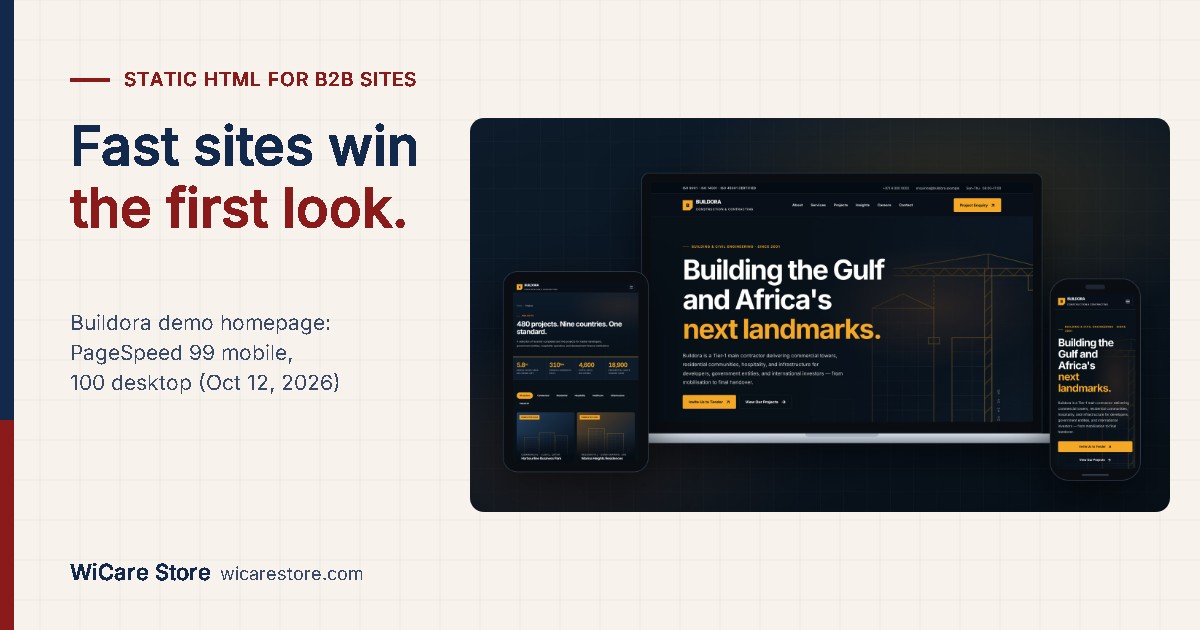
A ready-built example of this checklist for contractors and engineering firms: up to 18 pages including projects with technical data, safety statistics, careers and a tender enquiry form. One stylesheet, one script, no frameworks or plugins. Google PageSpeed Insights scored the demo homepage 99 for Performance on mobile and 100 on desktop, and 100 for Accessibility and Best Practices (tested October 12, 2026). Your scores depend on your hosting and images. Format: HTML template. Price: $29 (Starter), $79 (Professional), $449 (Enterprise, includes WordPress and Elementor conversion as a service).
Page structure for local service firms
Visitors from procurement and operations look for evidence in a fixed order. Structure pages to match it.
| Page | Must contain | Common omission |
|---|---|---|
| Home | What you do, where, for whom, one primary call to action | A clear service area |
| Service detail (one per service) | Scope, process, typical timelines, relevant certifications | Specifics: equipment, standards, capacity |
| Projects or case studies | Client sector, scope, duration, measurable outcome | Numbers |
| About and leadership | Years operating, registrations, named leaders with credentials | Verifiable registration numbers |
| Quote or proposal request | Structured form, response time commitment | Stated response time |
| Compliance and safety | Certifications, insurance, safety record | Dates and certificate scope |

For a page-by-page breakdown for one sector, see What a Construction Company Website Needs.
Static vs CMS: when each fits
Static HTML is not the right choice for every site.
| Requirement | Static HTML | CMS |
|---|---|---|
| 10–30 pages, updated monthly or less | Best fit | Overhead |
| Non-technical staff editing daily | Poor fit | Best fit |
| Blog with frequent posts | Possible with a static generator | Simpler |
| Lowest maintenance and attack surface | Best fit | Requires ongoing updates |
| E-commerce with many products | Poor fit | Best fit |
If staff must edit content without touching code, a static template converted to a lean CMS theme is a middle path. Keep the asset discipline from the checklist either way.
Deployment sequence
- Audit the current site: PageSpeed scores, page list, top landing pages from analytics.
- Map every current URL to its new URL. Prepare 301 redirects for any that change.
- Build and test on a staging address. Run the checklist above.
- Connect forms and send a test enquiry end to end.
- Switch DNS. Submit the new sitemap in Google Search Console.
- Re-run PageSpeed and Search Console checks after 28 days, when field data updates.
Operational resource: WiCare Store website templates
Buildora (construction and engineering) is a static HTML template with full documentation, a live demo and three license tiers from $29 to $449. Cleanora (cleaning and facility management) covers service specifications, compliance and proposal requests; it is built with Next.js, also from $29. Both are one-time payments with no subscription. Format: website template (ZIP download). Price: $29 to $449.
What is your site’s mobile LCP today, and how much of it is code you never chose to load?

Leave a Reply